File to Markdown tools
Convert Image, PDF, Word, HTML & More to Markdown
Free online Markdown converter for screenshots, documents, web pages and structured files. Upload once and turn messy content into clean Markdown for docs, GitHub and AI workflows.
Drop your file to start
Upload images, PDF, Word, HTML, JSON, Markdown, or text files.
Upload fileMarkdown tools
Popular Markdown tools
Choose the workflow first. Some tools start with text, others start with file upload, image upload, or structured data.
Popular Tools
More Markdown Tools
Frequently Asked Questions
Answers about image conversion, credits, free tools and privacy.
Which tools are free and which tools use credits?
Simple Markdown conversion tools are free with ads. Image to Markdown uses credits because it has to read text from screenshots, scans or photos.
What makes Image to Markdown different?
TO MD is built for screenshots, scans and diagrams. It extracts visible text and layout into editable Markdown instead of only storing an image link.
Do paid users still see ads?
Paid subscriptions are designed for an ad-free workspace plus monthly or yearly credits for conversion tasks.
Why convert screenshots and documents to Markdown?
Markdown keeps headings, lists and tables readable in plain text, which makes extracted content easier to edit, publish or paste into AI tools.
What happens if I run out of credits?
You can buy a one-time credits pack or switch to monthly or yearly billing. Free browser tools remain available with ads.
From the blog
Product updates, guides, and engineering notes from the team.
Markdown to Email: Gmail, Outlook, and Thunderbird Without Broken Formatting
Learn how to paste Markdown into Gmail, Outlook, or Thunderbird without sending raw Markdown. Convert Markdown to HTML or rich text, then check links, lists, tables, and code blocks.
 TO MD Team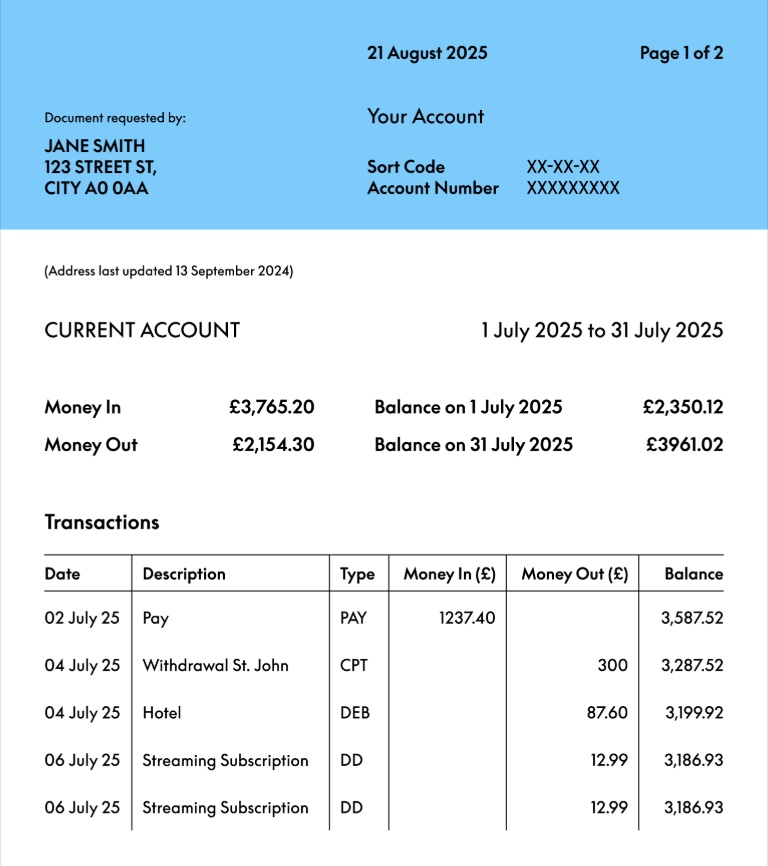
JPG to MD: Convert a JPG Image to Markdown
Convert JPG to MD with TO MD. See a real bank.jpg example, upload your JPG, extract readable text, rebuild tables and download clean Markdown.
TO MD Team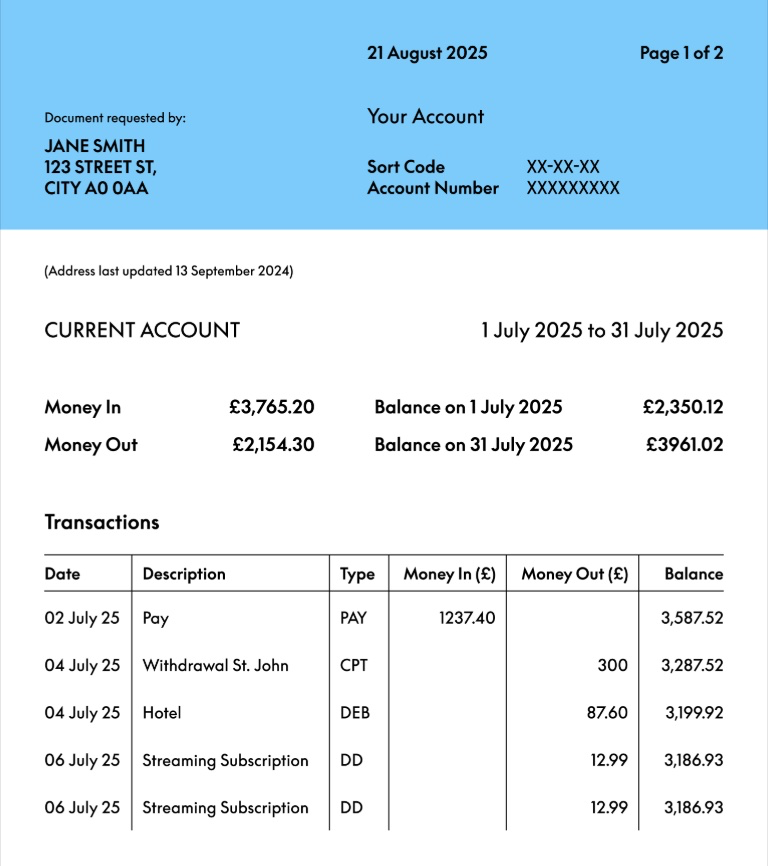
PNG to MD: Convert a PNG Image to Markdown
Convert PNG to MD with TO MD. Upload a PNG screenshot or scan, extract readable text, rebuild tables and download clean Markdown.
TO MD TeamHow it works
Start your conversion.
Upload an image first, or choose another Markdown workflow when your source starts as PDF, Word, HTML or text.
Start Image to MarkdownStep 1
Paste or drop content
Start with text, HTML or formatted content from another editor. File parsers will be added as separate tools.
Step 2
Convert structure to Markdown
The workflow keeps useful structure such as headings, links, lists, emphasis and code blocks.
Step 3
Copy or download .md
Send the Markdown to GitHub, docs, a note-taking app or an LLM prompt without extra formatting cleanup.